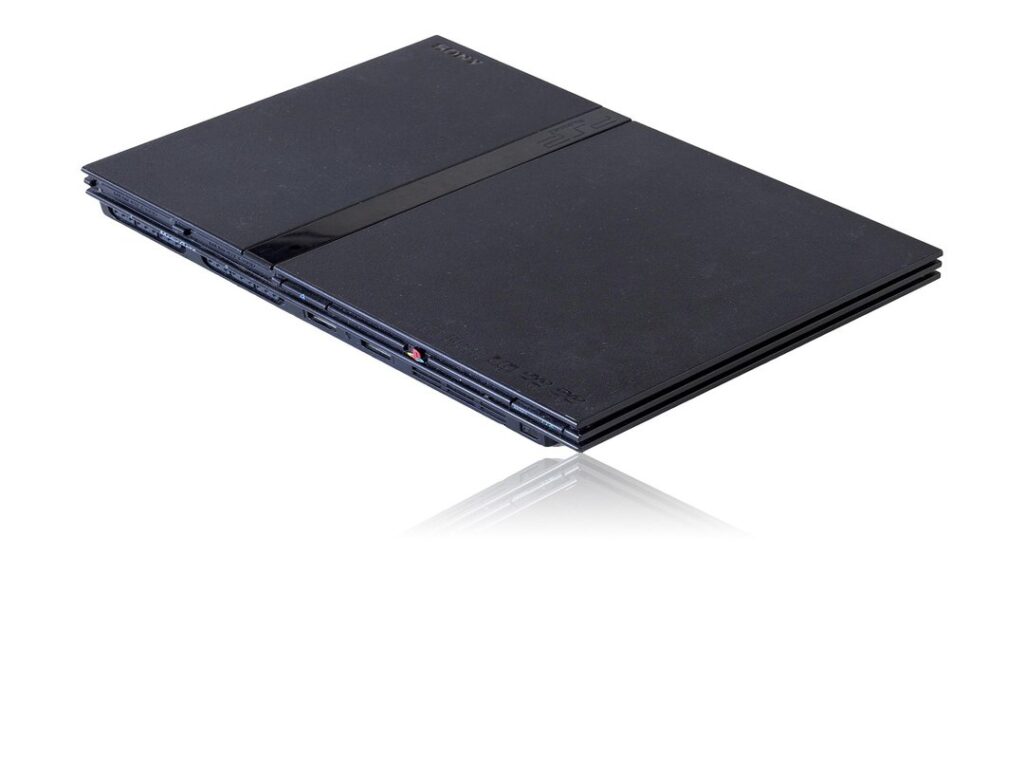
You might be wondering, what is a PS2 BIOS and why does AetherSX2 need it? Let me break it down. The PS2 BIOS is the essential startup software from the original PlayStation 2 console.
It’s like the operating system for the PS2; without it, the emulator doesn’t know how to ‘boot up’ and run games.
The BIOS file is copyrighted software owned by Sony. That means emulators like AetherSX2 can’t legally include it with their download. You have to get it yourself.
But don’t worry, I’ll show you how.
This guide will walk you through what a PS2 BIOS image is, the correct and legal way to obtain it, and exactly how to load it into the AetherSX2 emulator on your device. Using the right BIOS file is key to a smooth and authentic PS2 gaming experience on the go.
The Only Legal Way to Get Your PS2 BIOS File
Downloading PS2 BIOS files from the internet is a no-go. It’s straight-up copyright infringement and illegal.
What Is ‘Dumping’ a BIOS?
Dumping a BIOS means extracting the BIOS file from your own physical PlayStation 2 console. This is the only legal way to get the imagen bios ps2 you need.
To dump a BIOS, you’ll need a few things:
– A real PS2 console (some models are easier to work with).
– A method to run homebrew software, like a memory card exploit or a modchip.
– A USB drive.
The process is pretty straightforward. You run a special program called a BIOS dumper on your PS2. This program copies the console’s BIOS file onto your USB drive.
The resulting file is usually in .bin format, such as SCPH-70004_BIOS_V12_USA_200.bin.
This is the imagen bios ps2 aether you’re looking for.
While it takes some effort, this method ensures you’re not breaking any laws. Plus, you get a clean, uncorrupted file straight from your own hardware.
Step-by-Step: How to Add a BIOS Image to AetherSX2

First things first. You need to get that dumped BIOS file (the ‘.bin’ file) onto your Android device. I usually just transfer it from my computer or a USB drive straight to the ‘Downloads’ folder.
It’s simple and easy to find later.
Now, let’s get into the steps:
-
Launch the AetherSX2 application on your device. If it’s your first time, the setup wizard might ask for the BIOS automatically. Saves you a step, right?
-
If the wizard doesn’t prompt you, tap the menu icon (three horizontal lines) and go to ‘App Settings’. This is where all the magic happens. Lwspeakstyle
-
In the settings menu, head to the ‘BIOS’ tab. You’ll see an option that says ‘Import BIOS’. It’s pretty straightforward.
-
Tap ‘Import BIOS’, and this will open your device’s file manager. Navigate to the folder where you saved your BIOS file (like ‘Downloads’).
-
Select your BIOS ‘.bin’ file. The app will import it, and you should now see it listed in the BIOS selection screen within AetherSX2. That’s it!
Honestly, adding the imagen bios ps2 aether can be a bit of a hassle, but once it’s done, you’re set. It’s like getting the keys to a new car; everything feels fresh and ready to go. Just make sure you have the right file and follow these steps carefully.
Trust me, it’s worth it.
Common BIOS Errors in AetherSX2 and How to Fix Them
I remember the first time I got the ‘BIOS not found’ or ‘Please select a BIOS’ error. It was frustrating, to say the least. This usually means the file wasn’t imported correctly, or the emulator can’t find it.
- Repeat the import steps carefully.
- Make sure the file is in the correct directory.
File corruption is another common issue. If the BIOS is imported but games won’t start, the file itself might be corrupted. I once spent hours trying to figure out why my games wouldn’t load.
Turns out, the BIOS file was the culprit.
- Redump the BIOS from the console to ensure a clean copy.
Regional mismatches can also cause headaches. A game from Japan (NTSC-J) may have issues with a USA (NTSC-U/C) BIOS. While AetherSX2 is good at handling this, having BIOS files from the three main regions (USA, Europe, Japan) can solve compatibility problems.
Incorrect file types are a frequent mistake, and aetherSX2 needs the raw .bin file. If you have a compressed file (like a .zip or .7z ), extract the .bin file from it first before trying to import it.
- imagen bios ps2 aether
I’ve seen many users get stuck on this step, so take your time and make sure you have the right file type.
Frequently Asked Questions About PS2 BIOS Files
What is the best PS2 BIOS version? Newer versions from later console models, such as the slim SCPH-7xxxx or 9xxxx series, generally offer better compatibility. However, any official BIOS will work for most games.
Can I use a BIOS from a different emulator? As long as it’s a legitimate PS2 BIOS file, it will work with AetherSX2 and other PS2 emulators like PCSX2.
How many BIOS files do I need, and only one is required to start playing. For maximum game compatibility, having one from each major region (USA, Europe, Japan) is recommended.
Is AetherSX2 legal? The emulator application itself is perfectly legal software. The legality depends entirely on how the user obtains the BIOS and game files.

 Ask Michael Fullerstrat how they got into fashion events and runway highlights and you'll probably get a longer answer than you expected. The short version: Michael started doing it, got genuinely hooked, and at some point realized they had accumulated enough hard-won knowledge that it would be a waste not to share it. So they started writing.
What makes Michael worth reading is that they skips the obvious stuff. Nobody needs another surface-level take on Fashion Events and Runway Highlights, Wardrobe Essentials, Style Tips and Advice. What readers actually want is the nuance — the part that only becomes clear after you've made a few mistakes and figured out why. That's the territory Michael operates in. The writing is direct, occasionally blunt, and always built around what's actually true rather than what sounds good in an article. They has little patience for filler, which means they's pieces tend to be denser with real information than the average post on the same subject.
Michael doesn't write to impress anyone. They writes because they has things to say that they genuinely thinks people should hear. That motivation — basic as it sounds — produces something noticeably different from content written for clicks or word count. Readers pick up on it. The comments on Michael's work tend to reflect that.
Ask Michael Fullerstrat how they got into fashion events and runway highlights and you'll probably get a longer answer than you expected. The short version: Michael started doing it, got genuinely hooked, and at some point realized they had accumulated enough hard-won knowledge that it would be a waste not to share it. So they started writing.
What makes Michael worth reading is that they skips the obvious stuff. Nobody needs another surface-level take on Fashion Events and Runway Highlights, Wardrobe Essentials, Style Tips and Advice. What readers actually want is the nuance — the part that only becomes clear after you've made a few mistakes and figured out why. That's the territory Michael operates in. The writing is direct, occasionally blunt, and always built around what's actually true rather than what sounds good in an article. They has little patience for filler, which means they's pieces tend to be denser with real information than the average post on the same subject.
Michael doesn't write to impress anyone. They writes because they has things to say that they genuinely thinks people should hear. That motivation — basic as it sounds — produces something noticeably different from content written for clicks or word count. Readers pick up on it. The comments on Michael's work tend to reflect that.